
المشروع النهائي الكامل: برنامج مشتريات منظم وقابل للتشغيل
وصلنا الآن إلى نهاية الدورة. في هذا الدرس سنجمع كل ما تعلمناه في برنامج واحد: إضافة، حذف، تعديل، حفظ في ملف، قراءة عند التشغيل، وتقرير نهائي مرتب.
ماذا سيحتوي المشروع النهائي؟
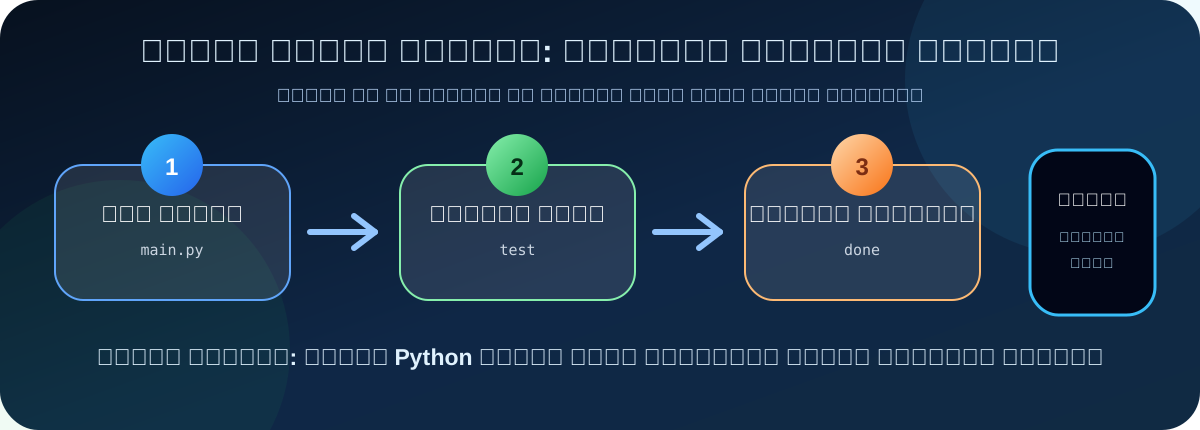
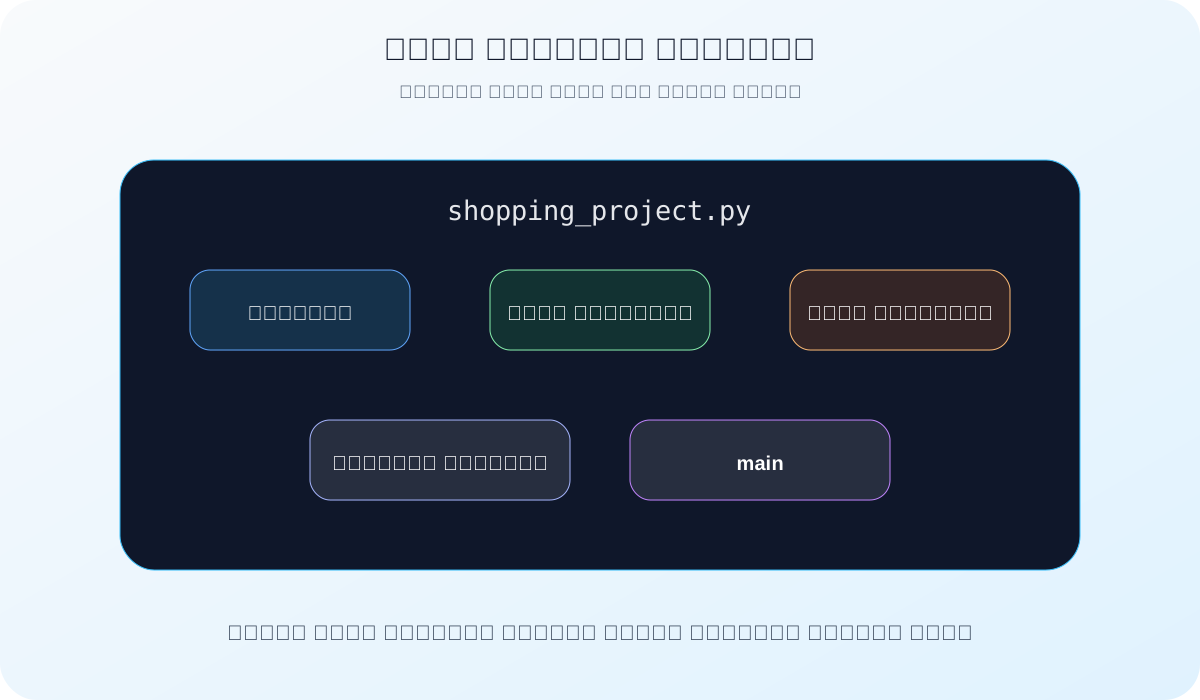
أنشئ ملف المشروع النهائي
افتح مجلد الدورة:
python_course
ثم أنشئ ملفًا جديدًا باسم:
shopping_project.py
هذا هو الملف النهائي الذي سنضع فيه المشروع كاملًا.
الجزء الأول: الاستيراد والإعدادات
import json
from datetime import datetime

DATA_FILE = "products.json"
TAX_RATE = 0.15
CURRENCY = "ريال"
هذه هي إعدادات المشروع. وضعنا اسم ملف البيانات، ونسبة الضريبة، والعملة في مكان واضح أعلى الملف.
الجزء الثاني: دوال الحفظ والقراءة
أولًا: دالة حفظ المنتجات:
def save_products(products):
    with open(
        DATA_FILE,
        "w",
        encoding="utf-8"
    ) as file:
        json.dump(
            products,
            file,
            ensure_ascii=False,
            indent=4
        )
ثانيًا: دالة قراءة المنتجات:
def load_products():
    try:
        with open(
            DATA_FILE,
            "r",
            encoding="utf-8"
        ) as file:
            products = json.load(file)
            return products
    except FileNotFoundError:
        return []
الجزء الثالث: دوال الحساب والتنسيق
دوال الحساب:
def calculate_total(products):
    total = 0

    for product in products:
        total = total + product["price"]

    return total

def calculate_tax(total):
    return total * TAX_RATE

def calculate_final_total(total, tax):
    return total + tax
دوال تنسيق التقرير:
def format_money(value):
    return f"{value:.2f} {CURRENCY}"

def print_line():
    print("=" * 40)

def print_small_line():
    print("-" * 40)
وقت التقرير ومتوسط السعر:
def get_report_time():
    now = datetime.now()
    return now.strftime("%Y-%m-%d %H:%M")

def calculate_average_price(products, total):
    if len(products) == 0:
        return 0

    return total / len(products)
الجزء الرابع: إنشاء المنتج وقائمة الأوامر
def create_product(product_name, price):
    product = {
        "name": product_name,
        "price": price
    }

    return product
def print_menu():
    print()
    print("----- قائمة البرنامج -----")
    print("1. إضافة منتج")
    print("2. عرض التقرير")
    print("3. حذف منتج")
    print("4. تعديل منتج")
    print("5. خروج")
الجزء الخامس: إضافة منتج
بداية دالة الإضافة:
def add_product(products):
    name_prompt = "اسم المنتج: "
    price_prompt = "سعر المنتج: "

    product_name = input(name_prompt).strip()
    price_text = input(price_prompt).strip()
فحص السعر:
    try:
        price = float(price_text)
    except ValueError:
        print("السعر غير صحيح، اكتب رقمًا فقط")
        return 0

    if price < 0:
        print("السعر لا يمكن أن يكون سالبًا")
        return 0
إنشاء المنتج وحفظه:
    product = create_product(
        product_name,
        price
    )

    products.append(product)
    save_products(products)

    print("تمت إضافة المنتج وحفظه بنجاح")
    return price
الجزء السادس: عرض المنتجات
def print_products(products):
    if len(products) == 0:
        print("لا توجد منتجات حتى الآن")
        return False

    print("----- المنتجات الحالية -----")

    for index in range(len(products)):
        product = products[index]
        name = product["name"]
        price = product["price"]
        product_number = index + 1
        print(
            f"{product_number}. {name}: "
            f"{format_money(price)}"
        )

    return True
الجزء السابع: حذف منتج
بداية دالة الحذف:
def delete_product(products):
    if print_products(products) == False:
        return 0

    delete_prompt = "اكتب رقم المنتج المراد حذفه: "
    delete_text = input(delete_prompt).strip()
تحويل الرقم والتحقق منه:
    try:
        delete_number = int(delete_text)
    except ValueError:
        print("رقم المنتج غير صحيح")
        return 0

    index = delete_number - 1

    if index < 0 or index >= len(products):
        print("رقم المنتج غير موجود")
        return 0
حذف المنتج وحفظ التغيير:
    deleted_product = products.pop(index)
    save_products(products)

    deleted_name = deleted_product["name"]

    print(f"تم حذف المنتج وحفظ التغيير: {deleted_name}")

    return deleted_product["price"]
الجزء الثامن: تعديل منتج
بداية دالة التعديل واختيار المنتج:
def edit_product(products):
    if print_products(products) == False:
        return 0

    edit_prompt = "اكتب رقم المنتج المراد تعديله: "
    edit_text = input(edit_prompt).strip()

    try:
        edit_number = int(edit_text)
    except ValueError:
        print("رقم المنتج غير صحيح")
        return 0
    index = edit_number - 1

    if index < 0 or index >= len(products):
        print("رقم المنتج غير موجود")
        return 0

    product = products[index]
    old_price = product["price"]
تعديل الاسم:
    new_name = input(
        "اكتب الاسم الجديد أو Enter للإبقاء عليه: "
    ).strip()

    if new_name != "":
        product["name"] = new_name
قراءة السعر الجديد:
    new_price_text = input(
        "اكتب السعر الجديد أو Enter للإبقاء عليه: "
    ).strip()

    if new_price_text == "":
        save_products(products)
        print("تم تعديل المنتج وحفظه")
        return 0
فحص السعر وحفظ التغيير:
    try:
        new_price = float(new_price_text)
    except ValueError:
        print("السعر غير صحيح")
        return 0

    if new_price < 0:
        print("السعر لا يمكن أن يكون سالبًا")
        return 0

    product["price"] = new_price
    price_difference = new_price - old_price

    save_products(products)

    print("تم تعديل المنتج وحفظه")
    return price_difference
الجزء التاسع: التقرير النهائي
بداية التقرير:
def print_report(products, total, tax, final_total):
    if len(products) == 0:
        print("لا توجد منتجات حتى الآن")
        return

    average_price = calculate_average_price(
        products,
        total
    )
رأس التقرير:
    print_line()
    print("تقرير المشتريات")
    print(f"تاريخ التقرير: {get_report_time()}")
    print_line()

    print()
    print("المنتجات:")
تفاصيل المنتجات:
    for index in range(len(products)):
        product = products[index]
        product_number = index + 1
        name = product["name"]
        price = product["price"]

        print(f"{product_number}. {name}")
        print(f"   السعر: {format_money(price)}")
        print()
ملخص التقرير:
    print_small_line()
    print(f"عدد المنتجات: {len(products)}")
    print(f"متوسط السعر: {format_money(average_price)}")
    print(
        f"الإجمالي قبل الضريبة: "
        f"{format_money(total)}"
    )
الضريبة والإجمالي النهائي:
    print(f"الضريبة: {format_money(tax)}")
    print(
        f"الإجمالي النهائي: "
        f"{format_money(final_total)}"
    )
    print_line()
الجزء العاشر: دالة main
بداية main:
def main():
    products = load_products()
    total = calculate_total(products)
    menu_prompt = "اختر رقم الأمر: "
حلقة الأوامر:
    while True:
        print_menu()
        choice = input(menu_prompt).strip()

        if choice == "1":
            added_price = add_product(products)
            total = total + added_price
الحذف والتعديل:
        elif choice == "3":
            deleted_price = delete_product(products)
            total = total - deleted_price

        elif choice == "4":
            price_difference = edit_product(
                products
            )
            total = total + price_difference
عرض التقرير والخروج:
        elif choice == "2":
            tax = calculate_tax(total)
            final_total = calculate_final_total(
                total,
                tax
            )

            print_report(
                products,
                total,
                tax,
                final_total
            )
        elif choice == "5":
            print("تم إنهاء البرنامج")
            break
        else:
            print("اختيار غير صحيح، حاول مرة أخرى")
تشغيل المشروع:
if __name__ == "__main__":
    main()
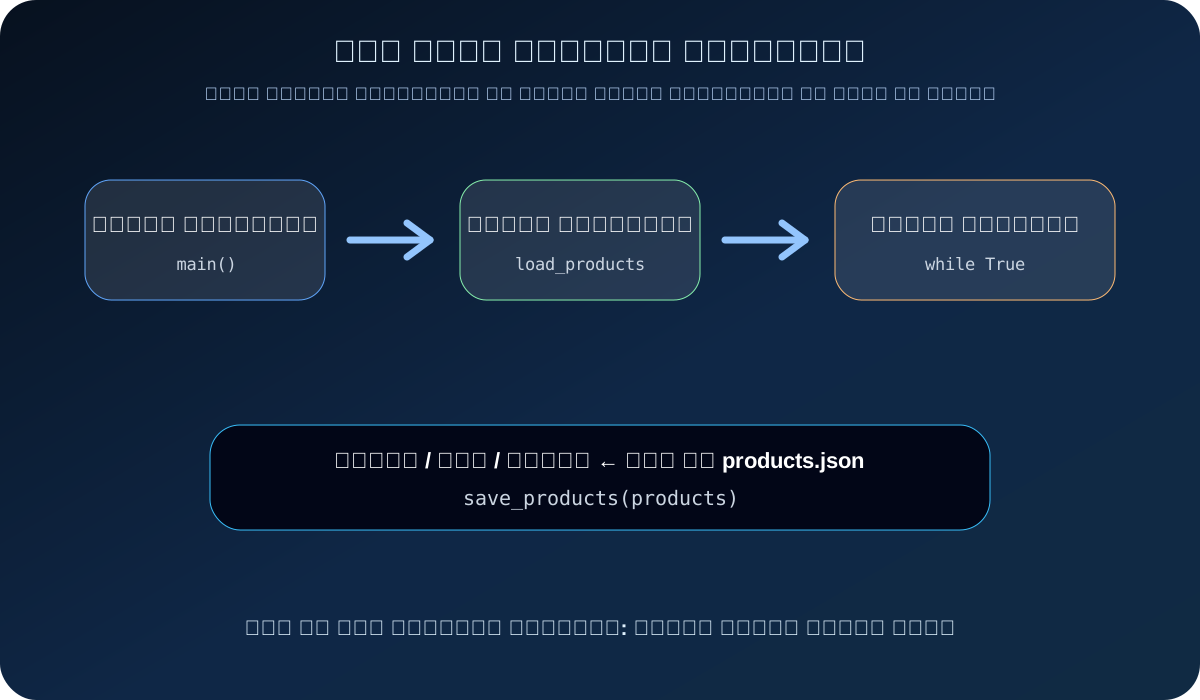
شغّل المشروع النهائي
احفظ الملف:
Ctrl + S
ثم شغله:
python shopping_project.py
وإذا لم يعمل أمر python:
py shopping_project.py
اختبار المشروع النهائي
جرّب السيناريو التالي:
اختر رقم الأمر: 1
اسم المنتج: Keyboard
سعر المنتج: 100

اختر رقم الأمر: 1
اسم المنتج: Mouse
سعر المنتج: 50

اختر رقم الأمر: 2
يجب أن يظهر تقرير يشبه:
========================================
تقرير المشتريات
تاريخ التقرير: 2026-07-19 08:30
========================================

المنتجات:
1. Keyboard
   السعر: 100.00 ريال

2. Mouse
   السعر: 50.00 ريال
----------------------------------------
عدد المنتجات: 2
متوسط السعر: 75.00 ريال
الإجمالي قبل الضريبة: 150.00 ريال
الضريبة: 22.50 ريال
الإجمالي النهائي: 172.50 ريال
========================================
اختبر الحفظ بعد إغلاق البرنامج
اخرج من البرنامج:
اختر رقم الأمر: 5
تم إنهاء البرنامج
ثم شغل البرنامج مرة أخرى:
python shopping_project.py
اختر عرض التقرير:
اختر رقم الأمر: 2
إذا ظهرت المنتجات السابقة، فهذا يعني أن الحفظ والقراءة يعملان بنجاح.
اختبار أخير قبل اعتماد المشروع
اختبر الحالات التالية واحدة واحدة:
ماذا أنجزت في هذه الدورة؟
بدأت من فكرة بسيطة: ما هي البرمجة؟ ثم تعلمت المتغيرات، الأنواع، الإدخال، الشروط، الحلقات، القوائم، القواميس، الدوال، return، التعامل مع الأخطاء، حفظ البيانات، ثم بناء مشروع نهائي كامل.
الأهم أنك لم تحفظ أوامر فقط، بل فهمت كيف ينتقل الكود من فكرة صغيرة إلى برنامج منظم.
خلاصة الدرس الأخير
في هذا الدرس جمعنا مشروع المشتريات كاملًا في ملف واحد منظم. صار البرنامج يستطيع إضافة المنتجات، حذفها، تعديلها، حفظها، قراءتها، وعرض تقرير نهائي واضح.
تذكر القاعدة الأخيرة:
افهم الفكرة
قسّم البرنامج
اختبر كل جزء
ثم اجمع المشروع بثقة
هذه ليست نهاية تعلم Python، لكنها نهاية ممتازة لمرحلة البداية. بعد هذا المشروع تستطيع الانتقال إلى مشاريع أكبر مثل: واجهة رسومية، قاعدة بيانات، موقع ويب، أو لوحة تحكم.
💬 التعليقات
لا توجد تعليقات بعد.
🚫 يجب تسجيل الدخول لإضافة تعليق. دخول / تسجيل